3D printing: the first layer doesn't stick to the bed, what to do
If the first layer comes loose, curls up or gets dragged away, the culprit is almost always a dirty sheet, the nozzle height or the wrong profile in the slicer. The checks to make, in the right order.
Procedure verified on against the official sources.
If the first layer won't stick, check in this order: clean sheet (no fingerprints), the right plate type in the slicer, distance between nozzle and bed (calibration) and bed temperature. If the part has a small base, add a brim, a thin border that increases the contact area. The first two steps almost always solve the problem.
Before you start
-
The first layer is the base of the whole print: if it comes loose, everything else goes wrong.
-
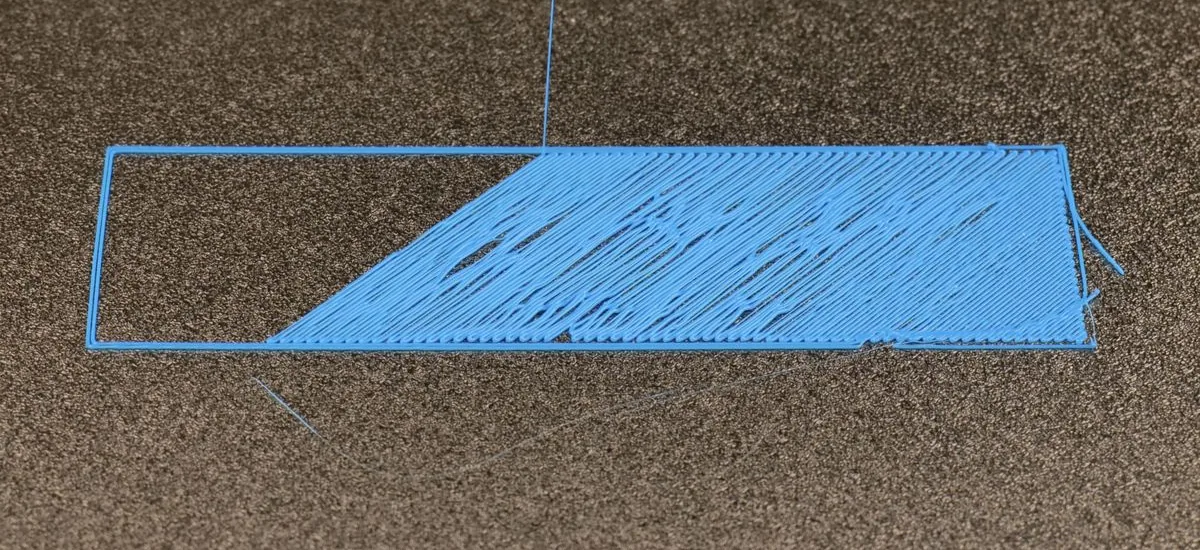
Recognize the symptom: the filament comes out in round "strings" that don't flatten, gets dragged by the nozzle, or the part comes loose halfway through the print.
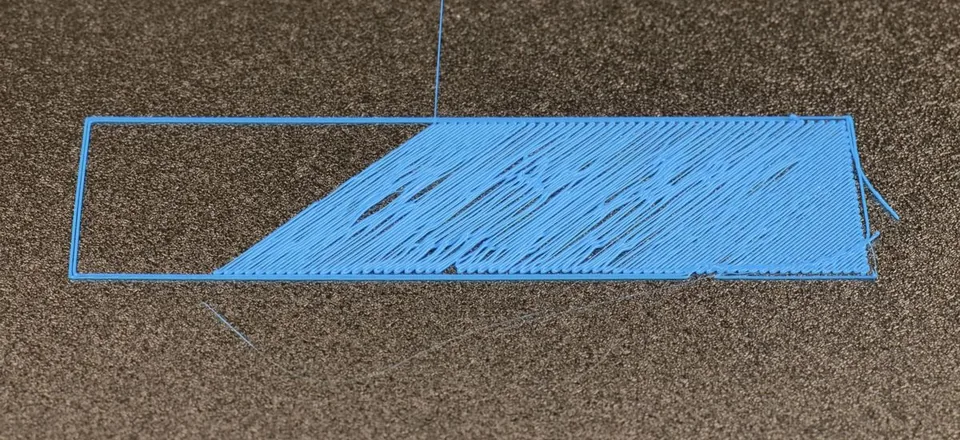
The symptom: strings that don't stick and get dragged along. Image: Bambu Lab Wiki -
Don't touch the sheet with your fingers after cleaning it: grease from your skin is one of the most common causes.
-
Wait for the printer to cool down before cleaning the sheet or adjusting the nozzle height.
-
Use a print profile from the manufacturer for your filament before changing settings by hand. The Prusa Knowledge Base recommends this as the first step.
1. Clean the sheet
This is the most effective fix.
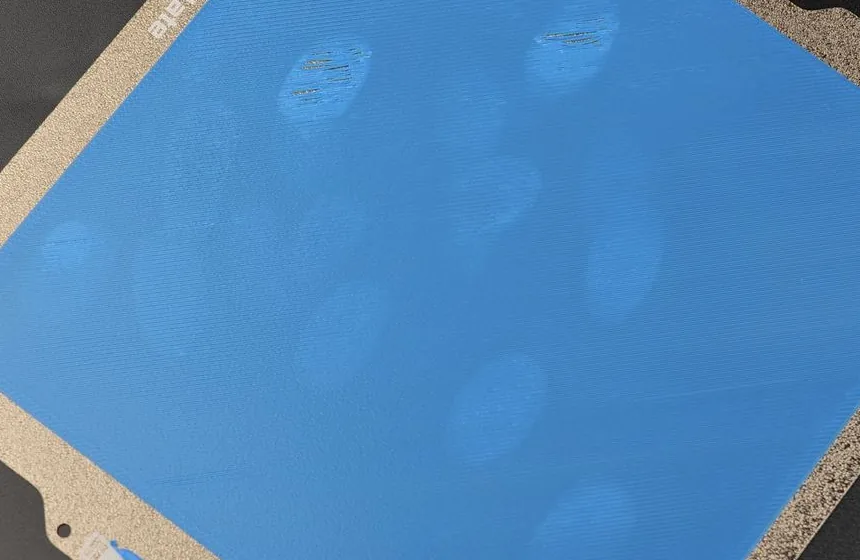
- Bambu Lab recommends washing the plate with hot water and dish soap before printing and not touching its surface. According to their Wiki this solves most adhesion problems, provided the settings are right.
- Prusa recommends wiping the surface with isopropyl alcohol of 90% or more. On smooth PEI sheets, for stubborn dirt, it suggests lukewarm (not hot) water and dish soap.
- Careful with acetone: Prusa warns that it damages textured and satin sheets.
Dry it well and put the sheet back without touching the print surface.
2. Check the plate type in the slicer
In the slicer, select the plate you actually have on the printer.
The Bambu Lab Wiki explains why this matters: the same material prints at different bed temperatures depending on the plate. If you pick the wrong plate, the bed may end up too cold. Also, with the textured PEI plate the printer lowers the nozzle slightly after leveling: if you set a different plate in the slicer, the nozzle stays too high and the first layer doesn't stick.
3. Calibrate the distance between nozzle and bed
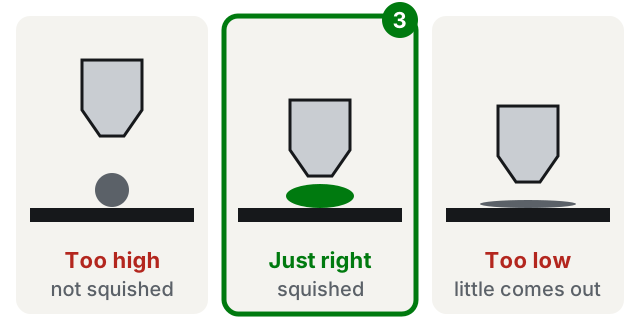
If the nozzle is too high, the filament is "laid down" instead of squished; if it's too low, little material comes out and you may damage the sheet.
- Bambu Lab printers: the Wiki recommends cleaning the nozzle tip and running a bed leveling calibration from the calibration menu. It also recommends leaving the automatic leveling option turned on at the start of a print.
- Prusa printers: the Knowledge Base points to First Layer Calibration and the Live Adjust Z function in the printer menu, to adjust the nozzle height while the first layer prints. It warns not to squish too much: you risk damaging the sheet.
- The skirt, the outline the slicer prints before the part, helps here too: it shows you right away whether the first layer is sticking, and with Prusa you can correct the height at that moment.
4. Adjust temperature and speed
If you have adhesion problems, the Prusa Knowledge Base suggests:
- using the recommended temperatures for the material;
- raising the bed temperature by 5–10 °C and trying again;
- slowing down the first layers (for example to 75% of normal speed).
5. Add a brim
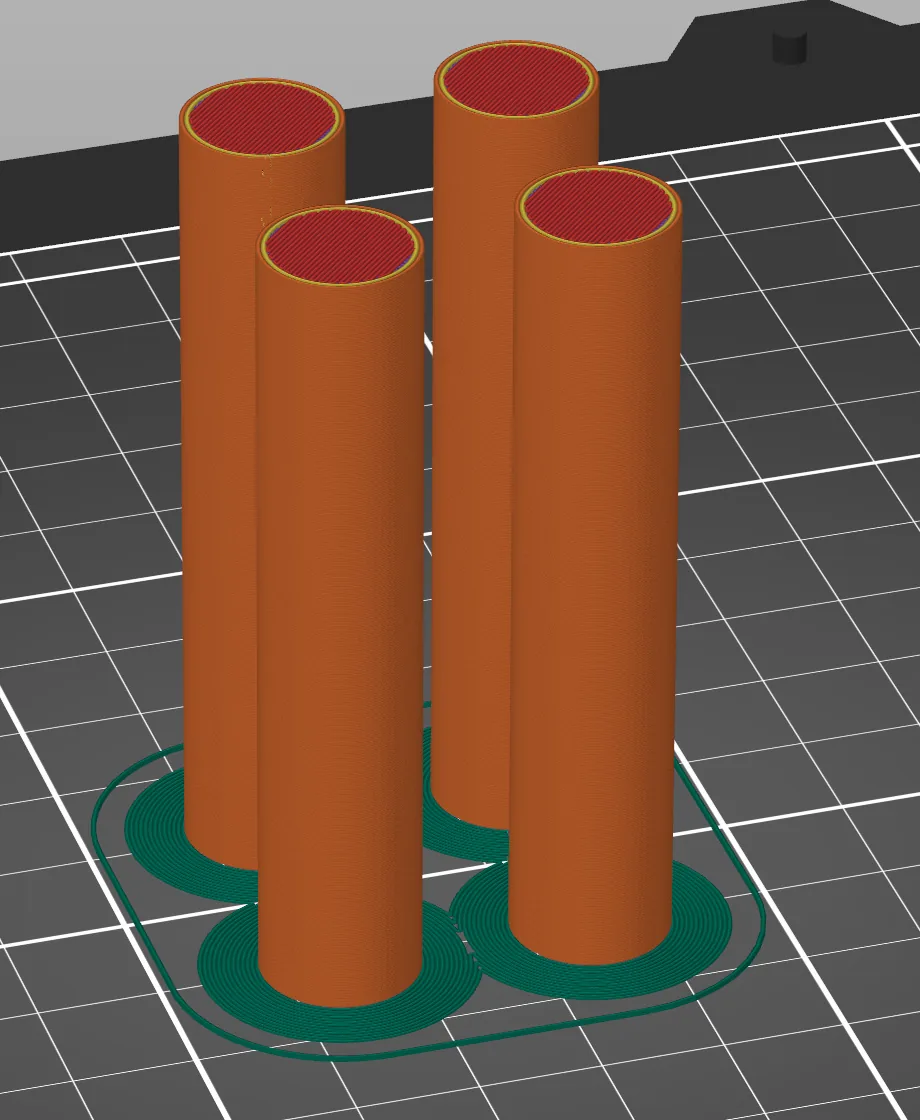
The brim is a thin border printed around the part on the first layer, removed when the print is done. It increases the contact area.
In PrusaSlicer you'll find it under Print settings > Skirt and brim > Brim. The Prusa Knowledge Base recommends at least a 3 mm brim and suggests it especially for:
- tall objects with a small base;
- many small objects printed together.
6. Glue stick, when you need it
Glue stick isn't always necessary, but in some cases it's recommended:
- Prusa says that PETG, ABS, ASA and other materials on the smooth PEI sheet need a separating layer such as glue stick, because they stick too well and can tear the surface. For PETG it actually recommends preferring powder-coated sheets (textured or satin).
- Bambu Lab recommends glue in some cases, for example when printing materials other than PLA on the smooth PEI plate.
Spread it thin, on a cold sheet.
If you are choosing a material, see PLA, PETG or ABS: which filament to choose.
If it still doesn't work
- Only some areas don't stick: the bed may be uneven. Redo the calibration; Prusa also mentions bed level correction.
- The filament comes out thin or in bursts: the nozzle may be partly clogged. Prusa lists this among the causes.
- The corners lift during the print (warping): keep the room at a stable temperature, away from open windows, air conditioners and fans. For ABS and similar materials Prusa recommends an enclosed printer or a "draft shield" (a wall as tall as the part).
- The model also looks odd in the preview: the file may have defects. See how to repair an STL file.
- You've tried everything: contact the printer manufacturer's support with photos of the first layer. Or have a technician look at the printer: often just watching the first layer in person is enough to understand the problem.
Frequently asked questions
Should I use glue stick on the bed?
Not always. With PLA on a clean sheet it usually isn't needed; with PETG, ABS and other materials on a smooth PEI sheet, manufacturers recommend it as a separating layer, so the sheet doesn't get damaged.
Can I clean the sheet with acetone?
It depends on the sheet. Prusa advises against it on textured and satin sheets, because it damages them. Follow your sheet manufacturer's instructions.
The first layer sticks but then the corners lift: is it the same problem?
It's a related problem, called warping: the part shrinks as it cools. A brim, a stable room temperature and no drafts all help.